The shortcut bar: agent keys, one tap away
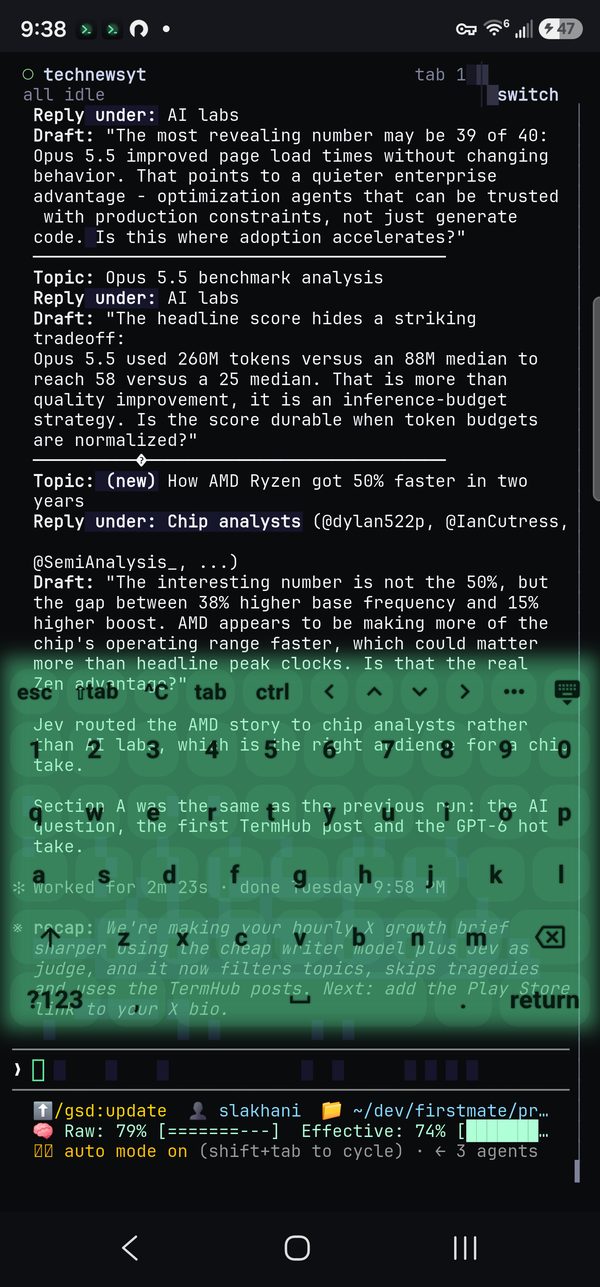
The row above TermHub's keyboard holds the keys a phone keyboard hides and a coding agent needs: esc, shift-tab, Ctrl-C, tab, ctrl, and the arrows. It's yours to rearrange, with more keys a swipe away and your saved commands one tap from the prompt.
The shortcut bar on a Galaxy S23, driving Claude Code in herdr.
Keys a coding agent needs
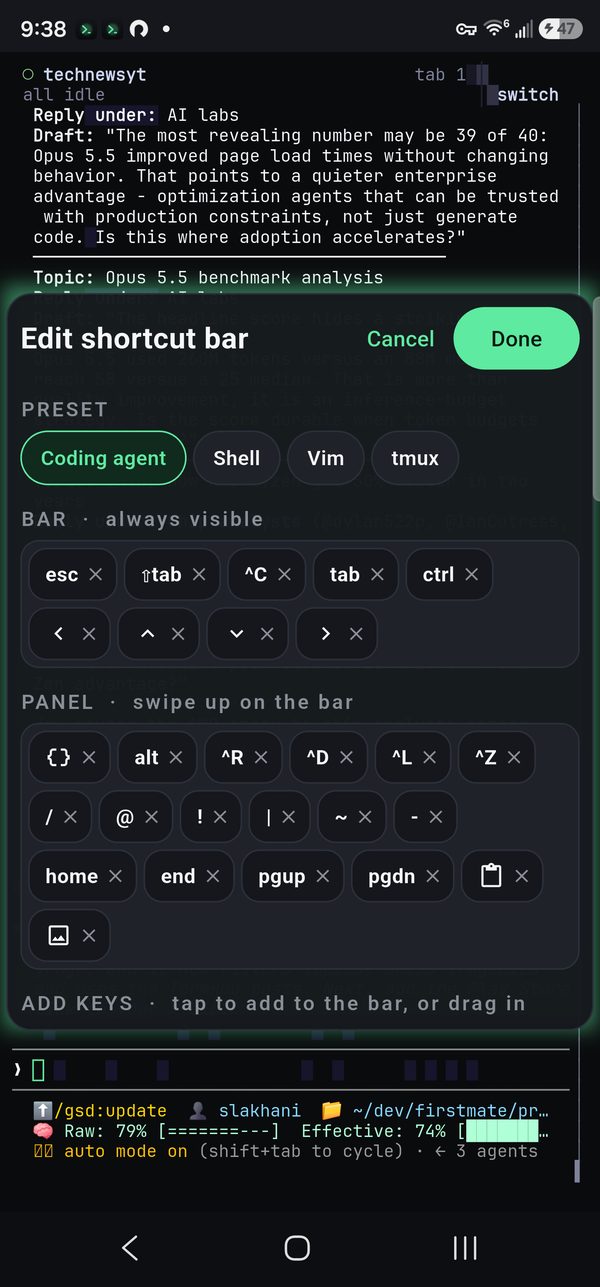
Out of the box the bar is set up for driving Claude Code, Codex, OpenCode, or Pi: esc to interrupt, ⇧tab to cycle modes, ^C to cancel, tab to complete, ctrl, and the four arrows. Hold an arrow and it keeps moving. Prefer a different setup? Pick the Shell, Vim, or tmux preset instead.
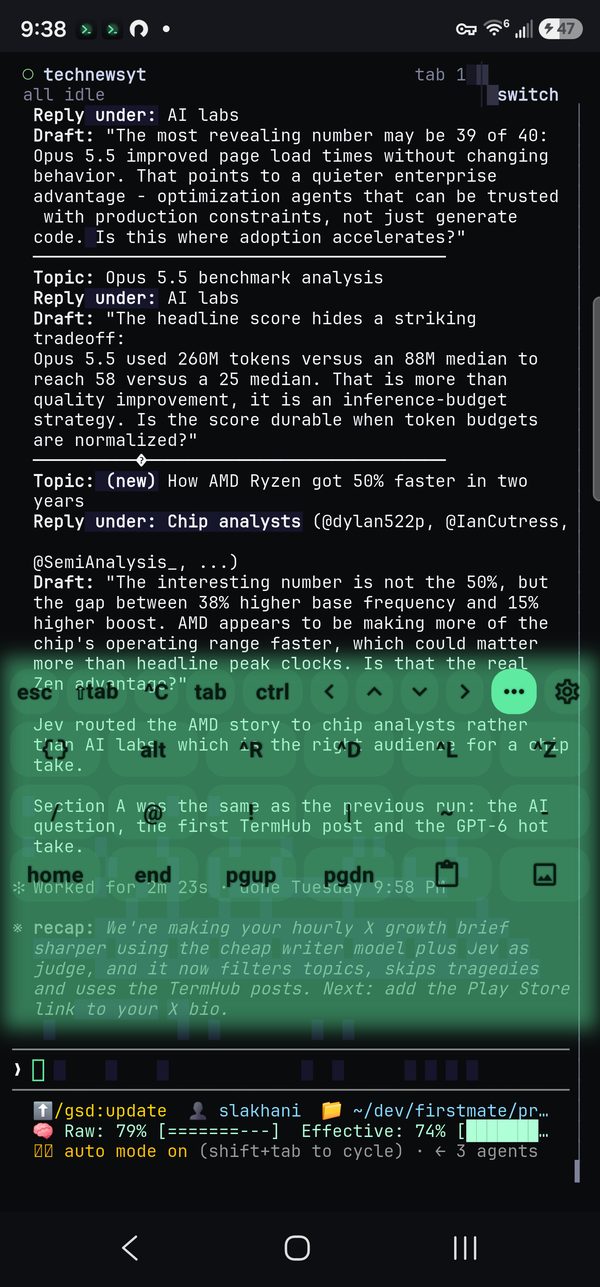
More keys, a swipe away
Swipe up on the bar, or tap •••, and the letters give way to a panel of extra keys: alt, Ctrl-R, Ctrl-D, Ctrl-L, Ctrl-Z, common symbols, home and end, page up and down, paste, and send image. It sits in the same space as the letters, so nothing on screen jumps. Swipe down or tap ••• again to get the letters back.
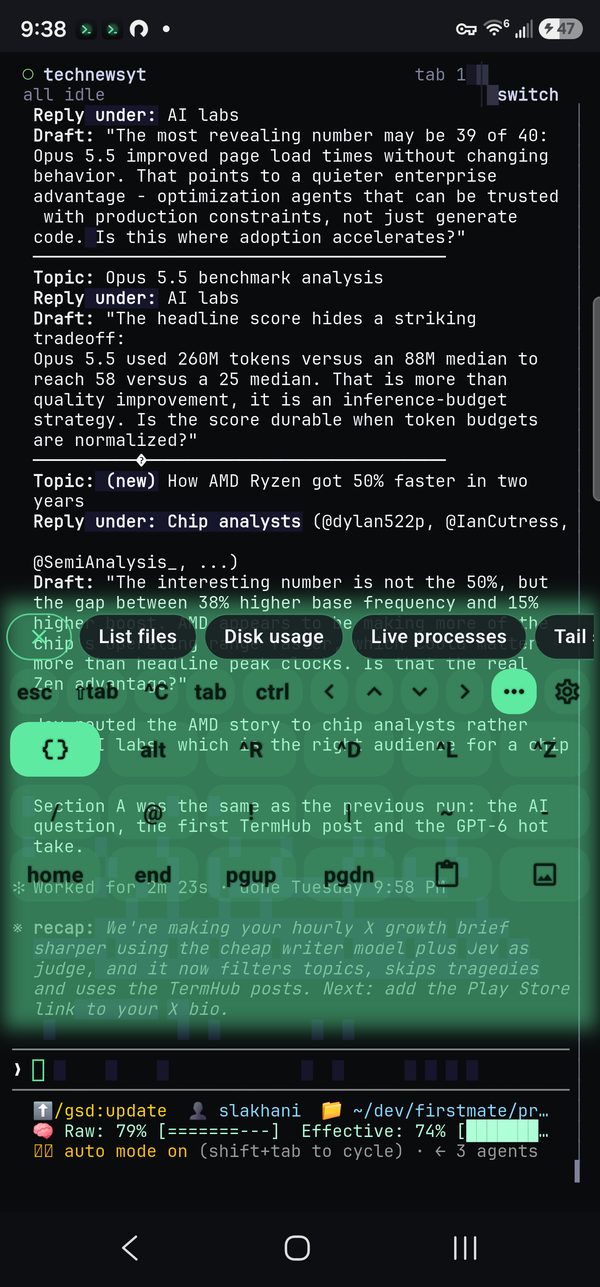
Your commands as chips
Tap { } and your saved commands appear as a row of chips right above the bar. Tap a chip to type the command so you can edit it first, or long-press to run it straight away. The × at the start of the row closes it.
Make it yours
With the panel open, the key at the far right becomes a gear. Tap it to edit the bar in place: drag keys between the bar and the panel to reorder them, tap × to remove one, or tap any key in the list below to add it. Done saves, Cancel leaves everything as it was. Long-pressing a bar key is a shortcut into the same editor, and it's also under Settings › Keyboard › Shortcut bar.
Modifiers and cursor moves
Ctrl and Alt apply to the next key you press, letters and bar keys alike, so Ctrl plus an arrow jumps a word. Double-tap either one to lock it on until you tap it again. To move the cursor along a long command, hold the space bar and drag sideways; each step moves one character, with a light tick.
Good to know
- Part of the app keyboard. The shortcut bar comes with TermHub's own keyboard (Settings › Keyboard › App keyboard), not the phone's system keyboard.
- Backed up with everything else. Your layout is included in TermHub's encrypted cloud backup, so it follows you to a new phone.
Get TermHub
TermHub is live on Google Play. Install it and connect to your first host in a couple of minutes.