Encrypted cloud backup & restore
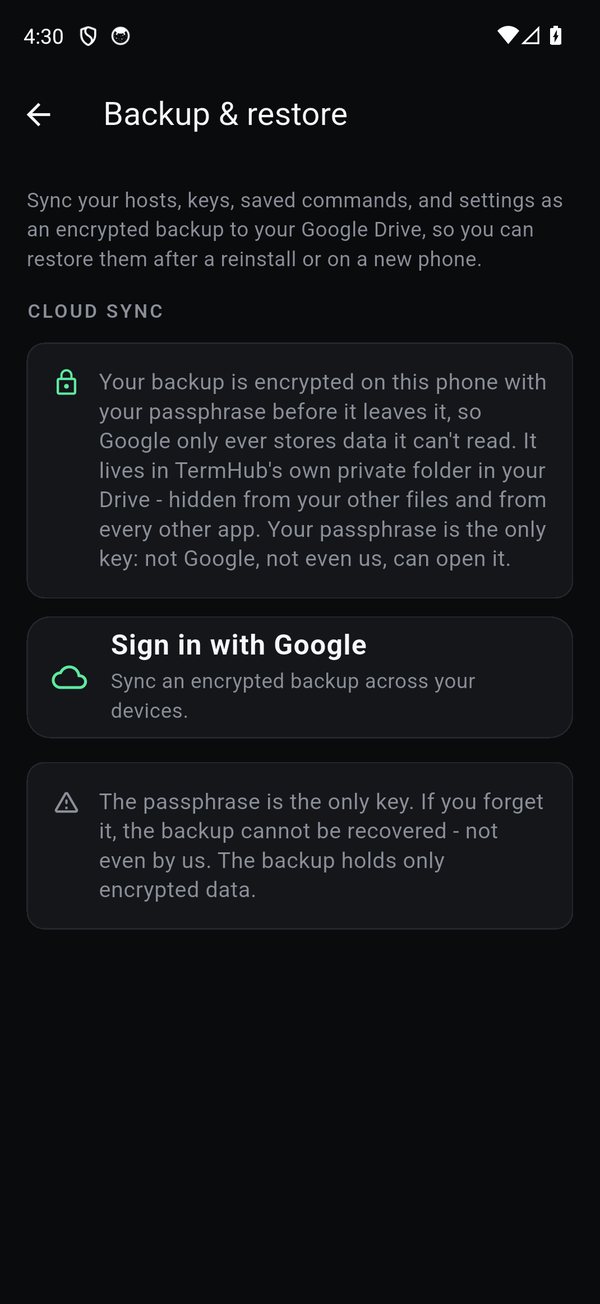
Move your hosts, keys, saved commands, and settings to a new phone, encrypted on your device with a passphrase only you hold, then stored in your own Google Drive. The passphrase is the only key, and it never leaves your phone.
What's backed up
Your hosts, SSH keys, saved commands, and settings, encrypted on the phone with your passphrase before anything leaves it. Google only ever stores data it can't read, in TermHub's own private folder in your Drive, hidden from your other files and every other app.
Set it up
Open Settings › Backup & restore, sign in with Google, and set a passphrase. Turn on auto-backup and every change is encrypted and synced quietly in the background.
Restore on a new phone
Install TermHub, open Backup & restore, sign into the same Google account, and enter your passphrase. Choose Merge to add the backup's hosts to what's on the device, or Replace to make the device match the backup exactly.
Important
- The passphrase is the only key. If you forget it, the backup cannot be recovered, not even by us. The backup holds only encrypted data.
- A wrong passphrase never wipes anything, the device is only cleared after a successful decrypt.
- The Enhanced voice model isn't in the backup (only the preference), and a fresh install starts as a clean slate until you restore.
Get TermHub
TermHub is live on Google Play. Install it and connect to your first host in a couple of minutes.